Attached means both sides said yes.
A clinic accepting someone leaves the attachment pending. It counts only when the patient confirms too, so your attachment numbers match what people experience.
For Canadian provinces and health authorities
Astam brings patient waitlists, practitioner panels and clinic capacity into one registry. Staff can see the reasons behind each match and confirm attachments with both the clinic and patient.
Built by Two Rivers Digital on Microsoft Dynamics 365. Explore a working demonstration with fictional data.
A person joins the registry.
Clinics report how many new patients they can accept.
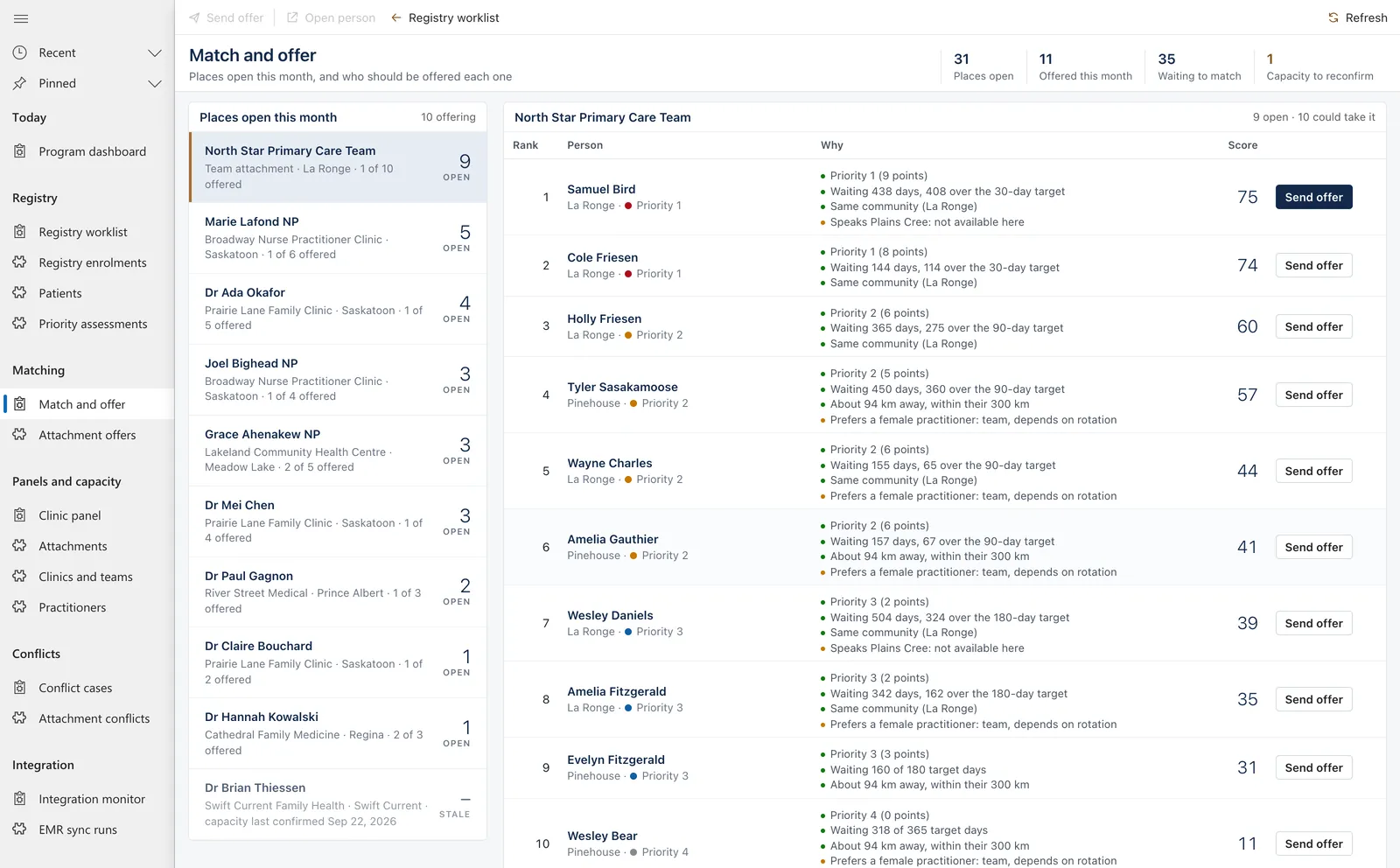
Staff review potential matches and the reasons behind each ranking.
The attachment counts once both the clinic and patient confirm.
These five rules help keep attachment records accurate, protect each person's original registration date and make matching decisions easier to review. Astam enforces each rule.
A clinic accepting someone leaves the attachment pending. It counts only when the patient confirms too, so your attachment numbers match what people experience.
The original registration date is locked. If someone declines an offer, or a removal is reversed, they go back on the list with the date they first registered.
For each opening, Astam ranks the people who could take it and says why: priority, time waited against the target, distance and stated preferences. It also lists who was left out, and the reason.
When someone appears on two clinics' panels, Astam opens a conflict case and asks the patient. Their choice decides it. The other attachment ends with a reason and stays in the history. A pediatrician beside a family doctor is not a conflict.
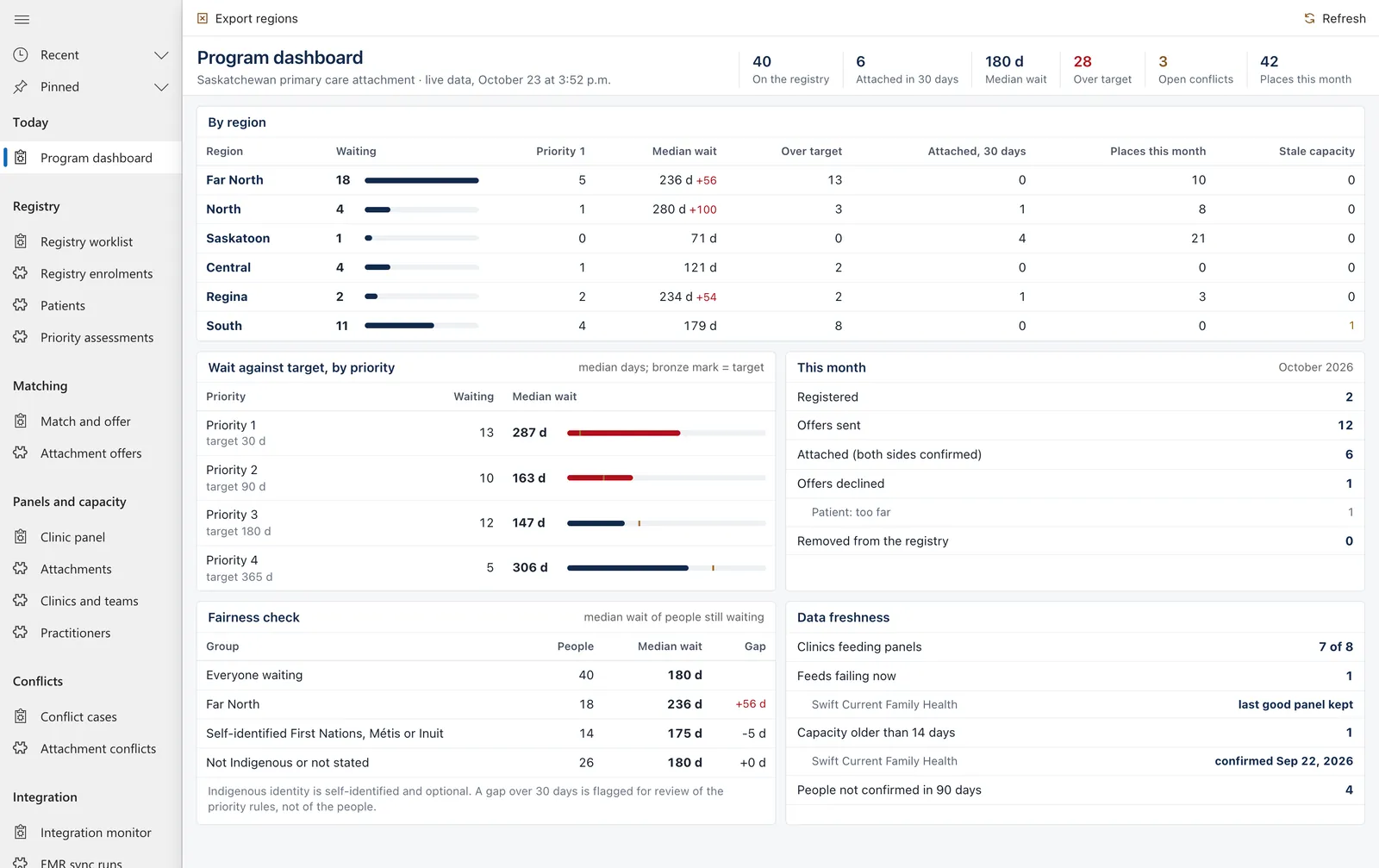
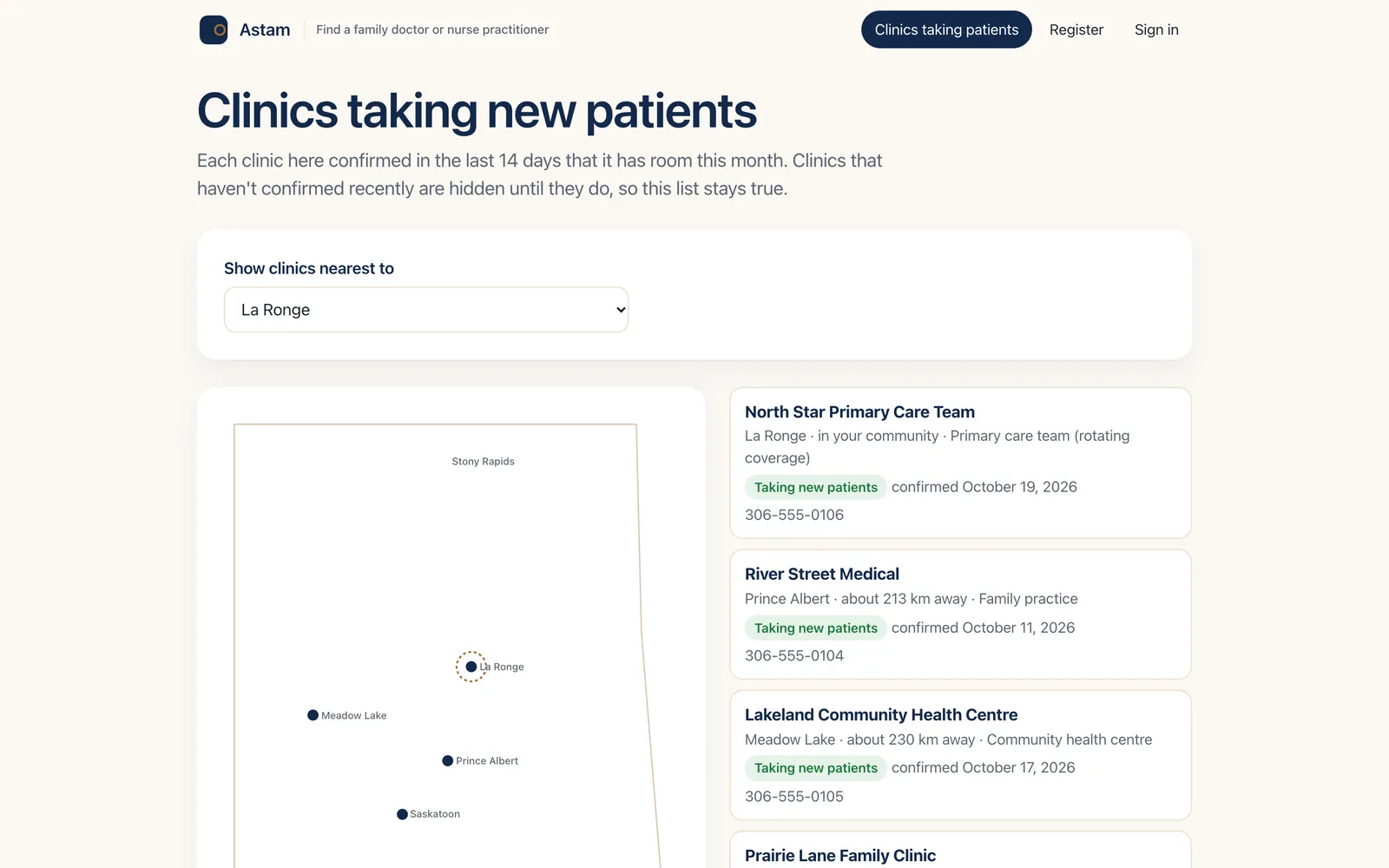
Clinics confirm how many new patients they can take this month. Capacity older than 14 days is marked stale and drops off the public map, so the list of clinics taking patients stays true.
Astam in action
Registry navigators and program managers work in Dynamics 365, with live counts on every screen.
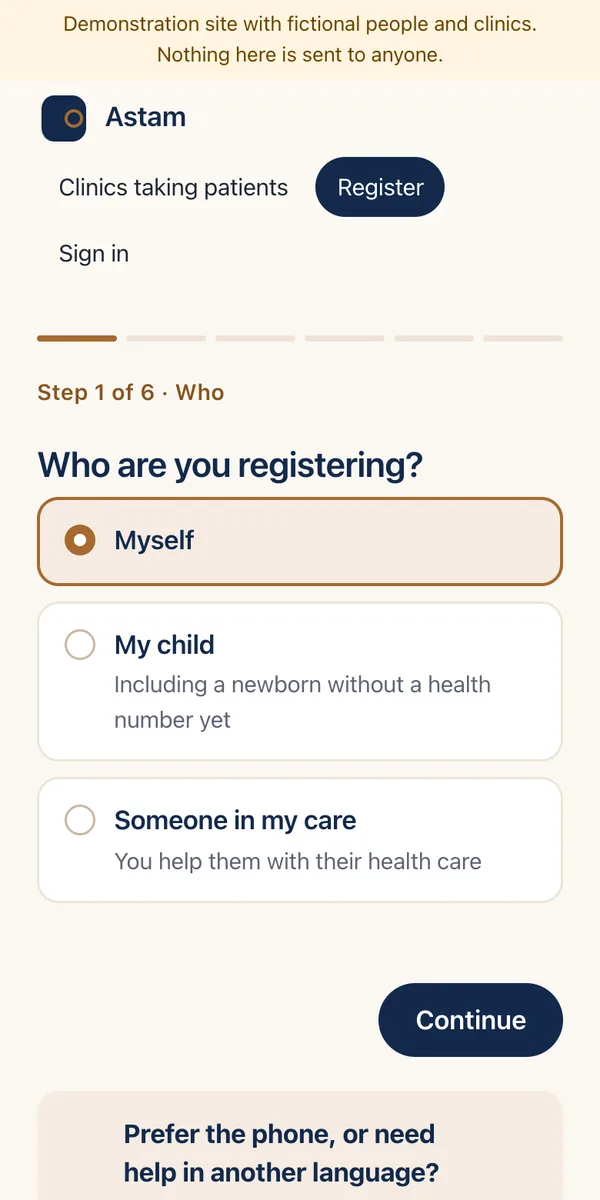
Patients register on a phone in plain language, for themselves, their child or someone in their care. A newborn can be registered before they have a health number. People who prefer the phone can register through the provincial health line instead.
The public clinic list shows only clinics that confirmed room in the last 14 days, with the date they confirmed. People can check their status, confirm an attachment and tell the registry they still need a provider.
Updated
Astam is a primary care access and attachment solution for Canadian provinces and health authorities, built by Two Rivers Digital on Microsoft Dynamics 365. It combines a patient attachment registry for people waiting for a family doctor or nurse practitioner with a practitioner panel registry, and counts an attachment only when both the clinic and the patient confirm it.
It is the provincial list of people who need a family doctor or nurse practitioner, matched against the clinics and practitioners with room to take them. A good registry also keeps a practitioner panel registry, so the province knows who is already attached and how many unattached patients are left. Read the guide.
Clinic networks use platforms such as Ocean Care Networks, Novari eRequest or Caredove, and several provinces built their own registries. Compare the options.
Provincial health ministries, health authorities and the agencies that run attachment programs: registry navigators, program managers, clinic staff who confirm capacity, and the people waiting.
Astam opens a conflict case, asks the patient which provider they see, and records their choice. Nothing is deleted. How Astam handles attachment conflicts.
âstam is Plains Cree for “come here!”. ASTAM also stands for Attachment Service for Triage And Matching.
Tell the Two Rivers Digital team about your program and what you’d like to explore.
Contact Two Rivers Digital